Office 365
Microsoft is heavily promoting their new Office 365 product as the future of their company, but we find that many clients are unsure of what, exactly, Office 365 does.First of all, Office 365 is the lead Cloud product from Microsoft.

Microsoft is heavily promoting their new Office 365 product as the future of their company, but we find that many clients are unsure of what, exactly, Office 365 does.First of all, Office 365 is the lead Cloud product from Microsoft.
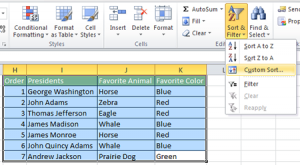
Excel has tools for complex, or multilayered sorts that involve several columns or headers. There are 2 ways to create a complex sort in Excel. Method 1 – The Sort button Select the all of the data in the table
Sorting in Excel with multiple columns Read Post »

Microsoft Word has a cool new feature that you might be unaware of. It allows you to type anywhere on the page.
Microsoft Word Video Tip: New Feature Read Post »

Microsoft Outlook’s new Clutter feature filters your email to show only important or useful email. By watching the way you work, Clutter guesses which email will be ignored and routes those emails to a separate Clutter folder.Clutter is only available
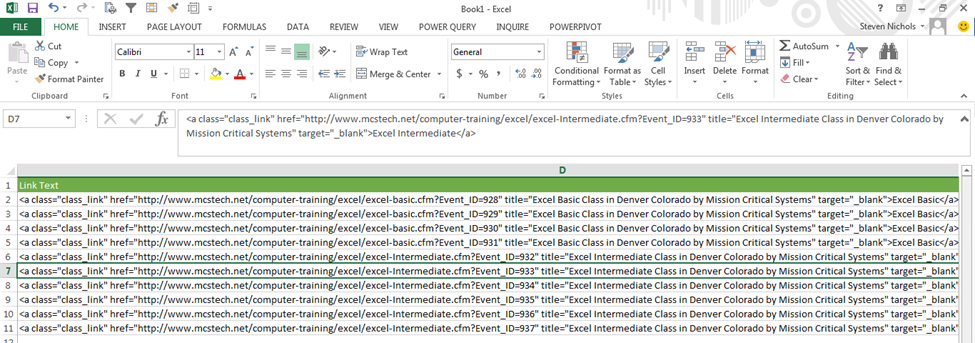
Sometimes when pasting data into Excel, a column will widen to the point that it can’t really be used. A long URL, for example, might stretch off the page.Normally, you would grab the border between the column labels to resize
Excel column too wide to read Read Post »
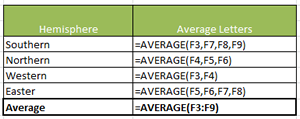
Small formula errors can have big consequences. A misplaced comma or the wrong reference can severely warp your results. Excel has several tools to check your formulas for errors. F2 – See formulas in Excel. To check the formula of
Check Formulas in Excel Read Post »
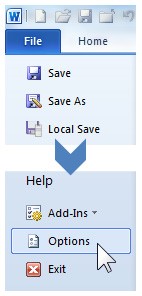
When working with a previously created Word document, you may notice that a number of Microsoft Word Styles have been applied throughout.To quickly view which styles have been applied and where, you can activate the Style Area Pane in Draft
Viewing Active Styles in Draft View in Microsoft Word Read Post »

Text that cannot fit within the width of a single cell can behave in one of three different ways.The text can run into the next cell, if the cell to the right is empty.The text can be cut off if
Wrapping Text in Excel Read Post »
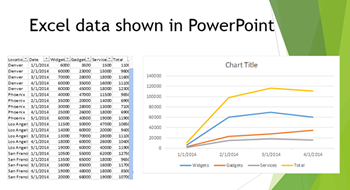
PowerPoint is frequently used as a presentation tool for Excel data. Instead of manually updating the figures in the weekly report presentation every week, you can link that presentation to the Excel spreadsheet. To create this connection:1. Open both your
Excel data in PowerPoint with a live connection Read Post »
Following MLA style in Microsoft Word can be challenging, especially in Word 2010. Many of the features new to that version interfere and contradict MLA style.This style guide explains the major considerations, and how to format for them in Microsoft
MLA Style in Microsoft Word Read Post »