Editing a PDF in Word
Did you know that you can edit a .PDF file in Word? From the File tab, click on Open. Find the .PDF file you wish to edit and open it. Word will convert the document and allow you to make
Editing a PDF in Word Read Post »

Did you know that you can edit a .PDF file in Word? From the File tab, click on Open. Find the .PDF file you wish to edit and open it. Word will convert the document and allow you to make
Editing a PDF in Word Read Post »
If you are someone that is working on a degree, you can setup a Word template according to the writing format that the school requires. Here are some examples: Once you are done with your settings, save the document as
Word Styles and Templates Read Post »
Install a custom font by right clicking on the font and clicking on Install. Learn how to create polished and professional documents with a Word training class from AETC.
Add a custom font in Word Read Post »
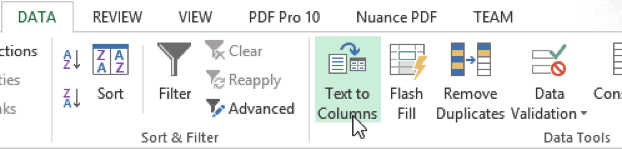
There are times that information has been exported or written in such a manner that it appears something like this: Mouse; Mickey; 222-333-4444 Mouse; Minnie; 222-333-4444 Duck; Donald; 222-333-4444 Sam; Yosemite; 222-333-4444 Dog; Pluto; 222-333-4444 Duck; Daffy; 222-333-4444 Coyote; Wile
Separating Word document information in Excel Read Post »
Shift + F5 will take you to the last place you edited in Word. Learn the ways Word can make your life easier, with a training course with AETC.
Shift + F5 to navigate in a Word document Read Post »
You can quickly select a rectangular block of text in Word by using the Alt key. This can allow you to apply formatting to an area of text that does not necessarily have to be an entire paragraph or sentence.
Selecting a rectangular block of text in Word Read Post »
Add buttons to the status bar in Word for quick information. Learn how you can use Word to make your life easier with a training class from AETC.
Customize your Word status bar Read Post »
Click both the left and right mouse buttons to see the spacing between tabs. Learn more ways to use Word to make your life easier with a training class from AETC.
Space between Tabs in Word Read Post »
Use Control + Shift + F5 to create a bookmark in Microsoft Word. Learn more ways that Word can make your life easier with a training class from AETC.
Place a bookmark in a Word Document Read Post »
Use tables in Word to create complex looking layouts. This video describes how to edit a table’s borders to organize data in a way that looks complex and difficult, but is in fact very simple. Create professional, polished documents with
Complex layouts with Word Tables Read Post »